CRM AUTOMATION · SALES SYSTEMS

Turn Your CRM Into a Working Sales System.

We help businesses structure pipelines, ownership, follow-ups, tasks, email integration and reporting so CRM becomes an operating system rather than a contact database.

Lead

→

CRM

→

Owner

→

Email

→

Task

→

Dashboard
PROBLEMS WE SOLVE

Unclear Pipelines

Stages do not match the real sales process, so opportunities become difficult to interpret.

Missed Follow-Ups

Tasks and reminders are inconsistent, leaving leads without clear next actions.

Poor Ownership

Leads enter the CRM but are not reliably assigned or escalated.

Weak Visibility

Management cannot easily see pipeline health, activity or stalled opportunities.

WHAT WE DELIVER
01

CRM Audit

Review data, stages, fields, ownership and current workflows.

02

Pipeline Design

Align stages and qualification rules with the real sales process.

03

Automation

Add routing, reminders, tasks and follow-up logic where useful.

04

Reporting

Create clearer dashboards and management visibility.

CRM CONTROL CHECKLIST

A useful CRM should make the next action obvious.

Before adding more automation, we make sure the pipeline has clear stages, ownership, follow-up timing and management visibility.

StagesEach stage has a clear entry and exit condition.
OwnershipEvery active opportunity has a responsible person.
Next ActionOpen leads have a task, follow-up date or defined waiting state.
VisibilityStalled and overdue opportunities are easy to surface.

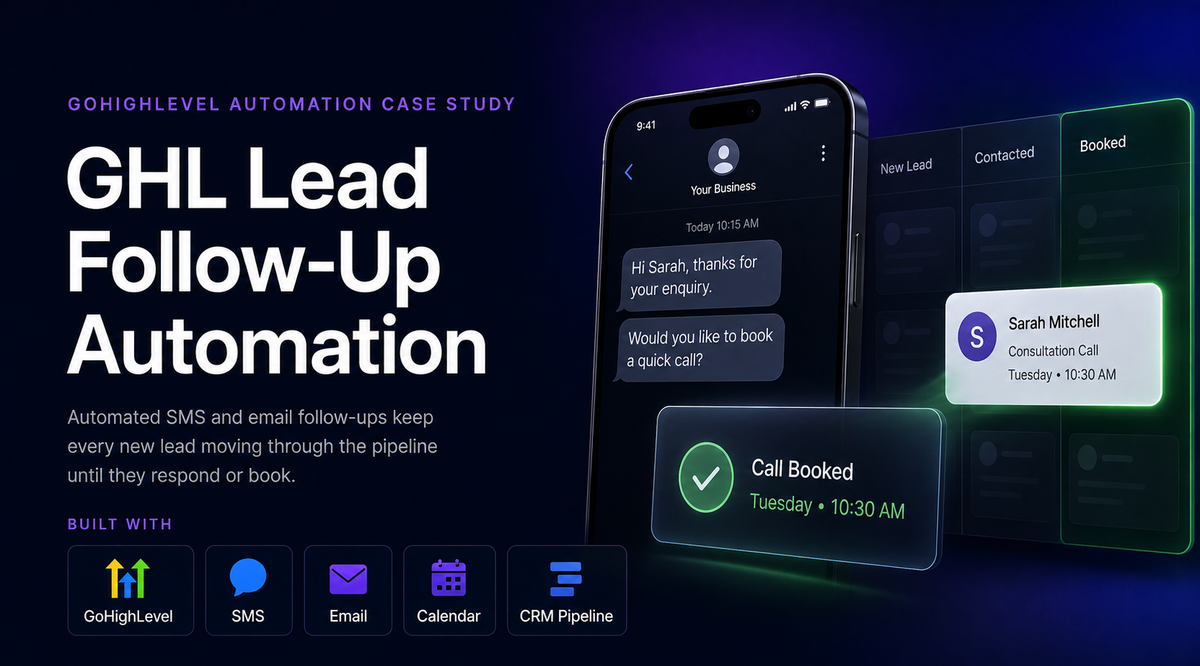
Related: lead follow-up automation, CRM and email integration, and our CRM lead-management case study.

COMMON CRM AUTOMATION USE CASES

Automate the repetitive parts of sales without automating away judgment.

The best CRM automations create reliable ownership, timing and visibility. They should help the team know what happens next, not create more noise.

  • Assign new leads by territory, service type, source or team availability.
  • Create follow-up tasks and due dates when a lead enters a new pipeline stage.
  • Alert managers when opportunities have no next action or become stale.
  • Log or summarize relevant email activity against the correct contact or deal.
  • Trigger approved reminders while stopping sequences when a lead replies.
  • Create dashboards for pipeline value, aging, next actions and conversion trends.
  • Standardize required fields so reporting and automation use consistent data.

When CRM automation usually needs cleanup first.

Automation is unreliable when the CRM has duplicate contacts, unclear stages, missing owners or inconsistent data. In those cases, the first step is normally cleanup and process design rather than adding more workflow logic.

CRM WORKFLOW
01CaptureForm, email, referral, import
→
02AssignOwner and priority
→
03Follow UpTasks, email, reminders
→
04MeasurePipeline and activity
PLATFORMS
CRMHubSpot · Zoho · Salesforce
SalesPipedrive · Follow Up Boss · GoHighLevel
IntegrationEmail · Forms · APIs · Automation
$399/MONTH · AUTOMATION & CRM GROWTH

Ongoing optimization for active CRM, automation and reporting systems.

Best for businesses that need more than maintenance: recurring workflow optimization, CRM improvements, reporting support, data cleanup and regular operating-system refinement.

CRM Optimization

Pipeline, fields, ownership, follow-up logic and management visibility improvements.

Automation Improvements

Regular enhancements across Make, n8n, Zapier, email, forms, APIs and connected workflows.

Data & Reporting

Dashboard updates, process cleanup and recurring data-quality improvements.

Request the $399/month Growth Plan

Plan code: VS4Y-GROWTH-399M

Start your Message with PLAN: VS4Y-GROWTH-399M, then tell us about your CRM, active automations, reporting needs, team size and the improvements you expect to work on each month.

Next step: we confirm the $399/month operating scope, then send a Payoneer payment request / invoice and onboarding requirements.

Project Enquiry & Estimate Request
CUSTOM CRM & SaaS TOOLS

When off-the-shelf CRM no longer fits the workflow, build around the operation.

A custom CRM or SaaS tool can combine the exact data model, roles, workflows and dashboards your team needs without forcing every process into a generic sales pipeline.

Custom CRM

Contacts, companies, pipelines, activities, tasks, email context, custom fields, permissions and reporting designed around your real process.

Operations Portal

Internal tools for orders, vendors, properties, cases, projects, documents, approvals, escalations and management dashboards.

Client / Team SaaS

Multi-user web applications with secure login, role-based views, subscriptions, records, notifications and workflow automation.

AI-Assisted Features

Optional AI for email classification, drafting, summarization, research, extraction and recommendations—kept behind human controls where needed.

FrontendReact · modern web UI · responsive dashboards
BackendNode / APIs · Firebase / databases · authentication
Automationn8n · Make · Zapier · webhooks · scheduled jobs
Business LayerCRM · tasks · email · documents · reporting · billing-ready workflows

Commercial model: discovery and architecture can start with the $49 review. Custom CRM/SaaS implementation is quoted by modules, integrations, users, data migration and support requirements.

Request a Custom CRM / Portal / SaaS Scope

Plan code: VS4Y-CUSTOM

Start your Message with PLAN: VS4Y-CUSTOM, then describe the users, records, workflows, integrations, dashboards, permissions and major pain points you want the system to handle.

Next step: custom CRM/SaaS work is quoted first. Once you approve the scope and payment terms, we send a Payoneer invoice / deposit request and begin onboarding after payment confirmation.

Project Enquiry & Estimate Request
FAQ
Can you clean up an existing CRM?

Yes. We can review fields, duplicates, pipelines, ownership, workflows and reporting before deciding what should be retained or changed.

Can CRM follow-ups be automated?

Yes, but the right level of automation depends on the sales process. We typically automate reminders, routing and repeatable communication while keeping important conversations under human control.

Do we need to migrate CRM platforms?

Not necessarily. We first determine whether the current platform can support the required process before recommending migration.

Is your CRM helping the sales process—or just storing contacts?

Compare the $399/month Growth plan or request a custom CRM scope.

Compare CRM Plans